
Live player clocks
Start and stop each player’s clock as substitutions happen so the total stays current.
Track exact player minutes during a youth soccer match, see each player’s percentage after the match, and use the record to plan the next lineup.
Live clocks, clear targets, and a recap you can use next week.
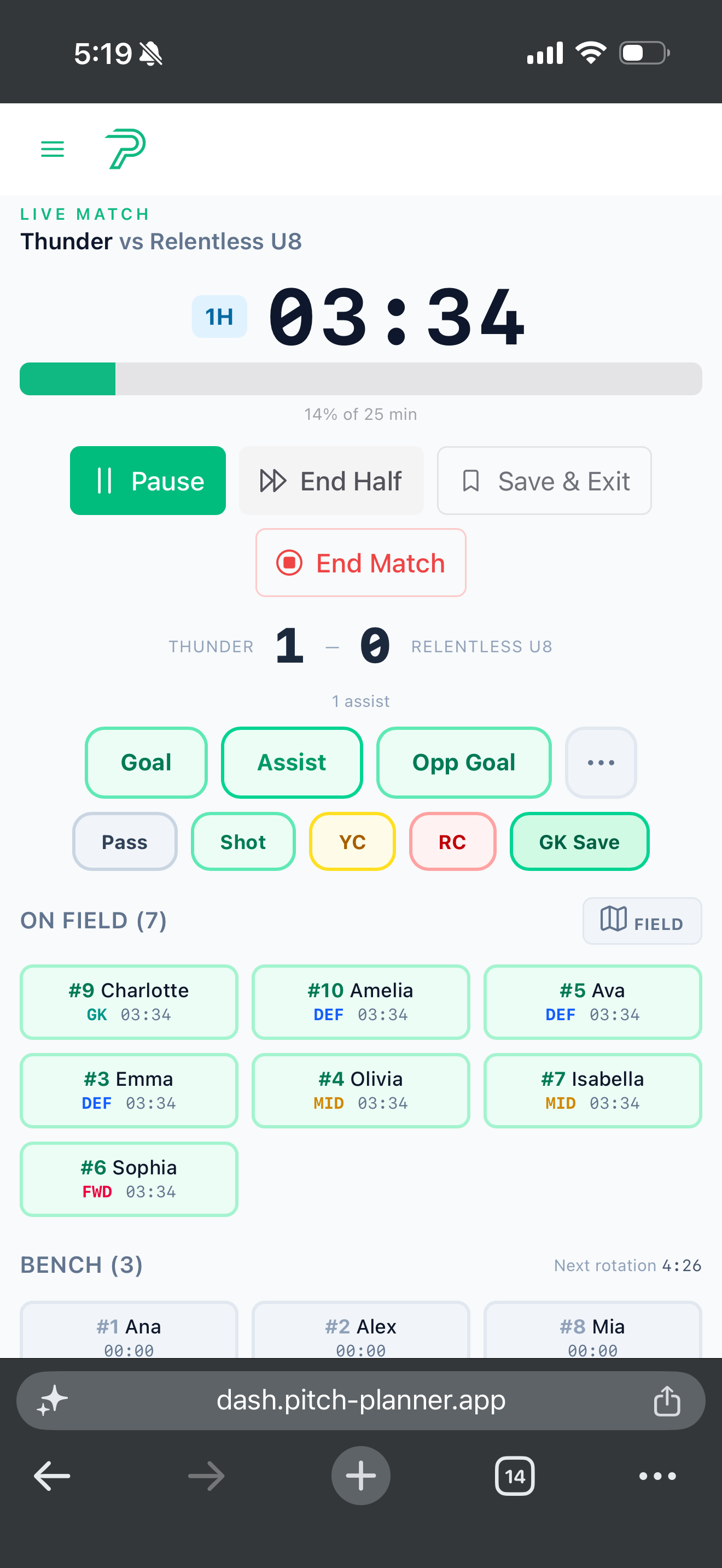
The record is short, clear, and ready for the next lineup—not another spreadsheet to maintain.
Compare each player against the target before the next lineup is set, so short minutes do not become a season-long pattern.
Keep position and substitution context beside each total. A player’s number means more when you can see the role they covered.
Use the recap to choose the next starter, plan an earlier rotation, or protect a player who needs a different role.
A live player clock keeps the sideline current. The recap gives the coach a usable record after the match.
Review minutes alongside goals, assists, cards, positions, and the starting lineup. Then make one practical adjustment before the next kickoff.
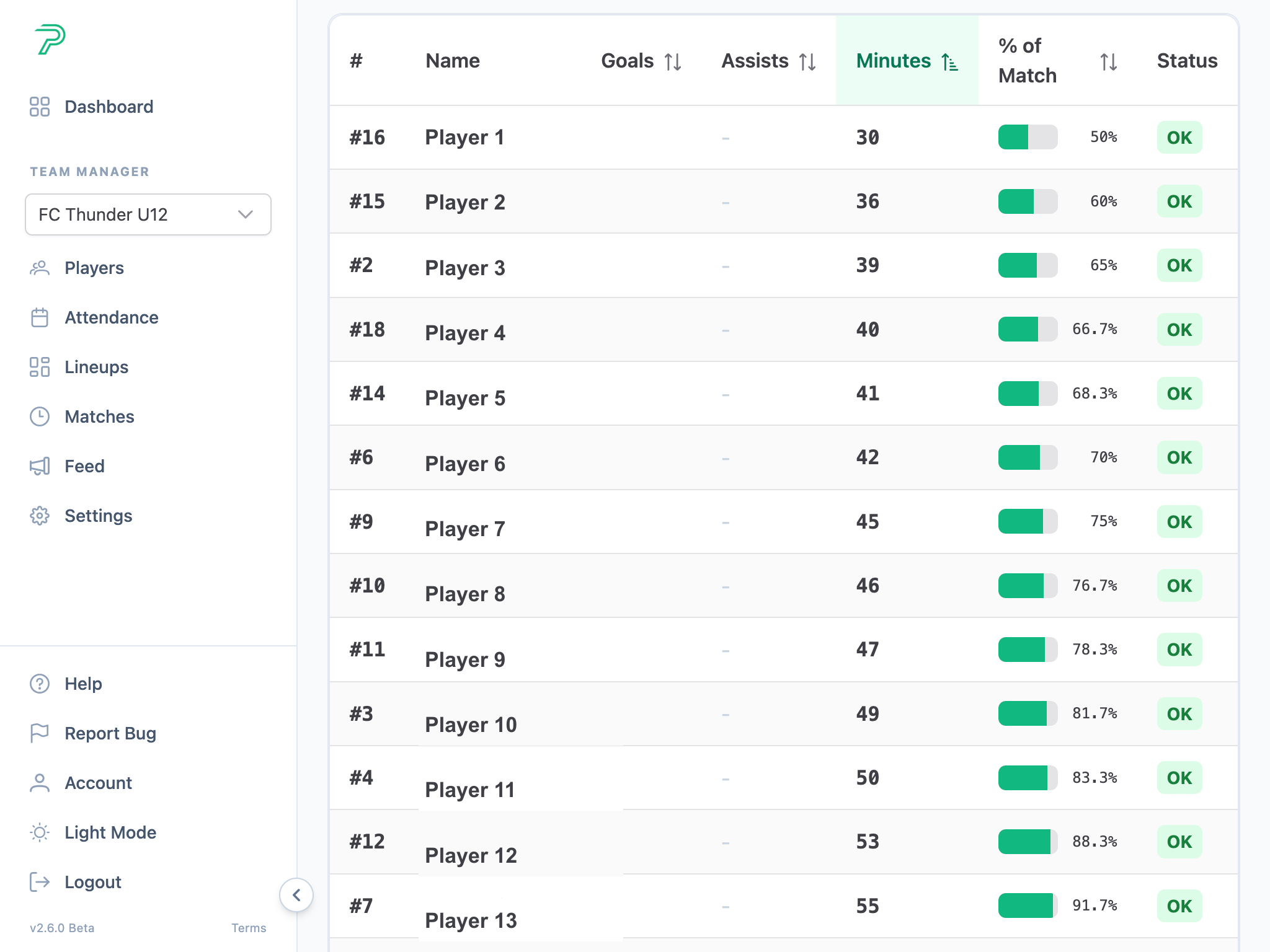
Track the details you need for the next decision, without adding extra work during the match.
Start and stop each player’s clock as substitutions happen so the total stays current.
Set a fair-minute target and see who is on target, short, or ready for more time.
Keep the lineup and role beside the minutes so development is more than one total.
Use the recap to decide who starts, who rotates first, and what needs attention next week.
Clear answers for coaches deciding how to track time and use the record after the match.
Use live substitution tracking for accurate clocks, then use the recap and related guides to plan fairer minutes across the season.
Use the live tracker to start and stop each player clock during substitutions.
Set a fairness target and compare each player against that standard during the match.
Build a simple season-long record without spreadsheet stress or missed substitutions.
Spot whether player development is balanced across field roles, not just total time.
Keep goals, assists, match events, and season totals beside player minutes.
Track exact player minutes during the match, use the recap to plan the next lineup, and keep the player-minute record in one place.