FAQ
Youth soccer coaching app FAQ
Find answers about the free plan, paid features, live substitutions, player minutes, team sharing, and match records. Can't find what you need? Email us.
Getting started
What is Pitch Planner?
Pitch Planner is a browser-based app for youth soccer coaches. It helps with lineups, substitutions, playing time, rosters, attendance, and match recaps.
Who is it for?
Volunteer coaches, part-time coaches, team managers, and small club admins. It is especially useful if you are tracking minutes in a notes app, building lineups on paper, or answering the same playing-time questions every weekend.
Is Pitch Planner free to start?
Yes. Free includes one active team, format-based roster capacity, two matches, and one saved lineup. Practice sessions, custom drills, attendance, sharing, advanced Match Day tools, reports, and exports require a paid plan.
What do the paid plans add?
Pro adds advanced Match Day tools, a rotation planner, attendance insights, player development reports, public team feed/share links, CSV/PDF exports, session sharing and duplication, 50 saved practice sessions, and 300 saved custom drills for one team. Premium includes those features for up to 3 active teams, with higher limits and shared coach/manager access. Both paid plans include a trial.
How do paid-plan trials and cancellation work?
Both paid plans include a seven-day trial, and a payment method is required to start it. Unless you cancel before the trial ends, the selected paid subscription starts and renews at the monthly or yearly billing interval shown at checkout. Cancel a website subscription through Billing or the Stripe customer portal, or an App Store subscription through Apple. Read the Cancellation & Refund Policy for details.
Do I need an account?
For team rosters and match history, yes. An account keeps your roster, saved lineups, attendance, and match records available the next time you coach.
Does it work on my phone?
Yes. Pitch Planner is designed for a phone browser first, because that is what most coaches have on the touchline. There is no app store download.
Match day
How does the substitution tracker work?
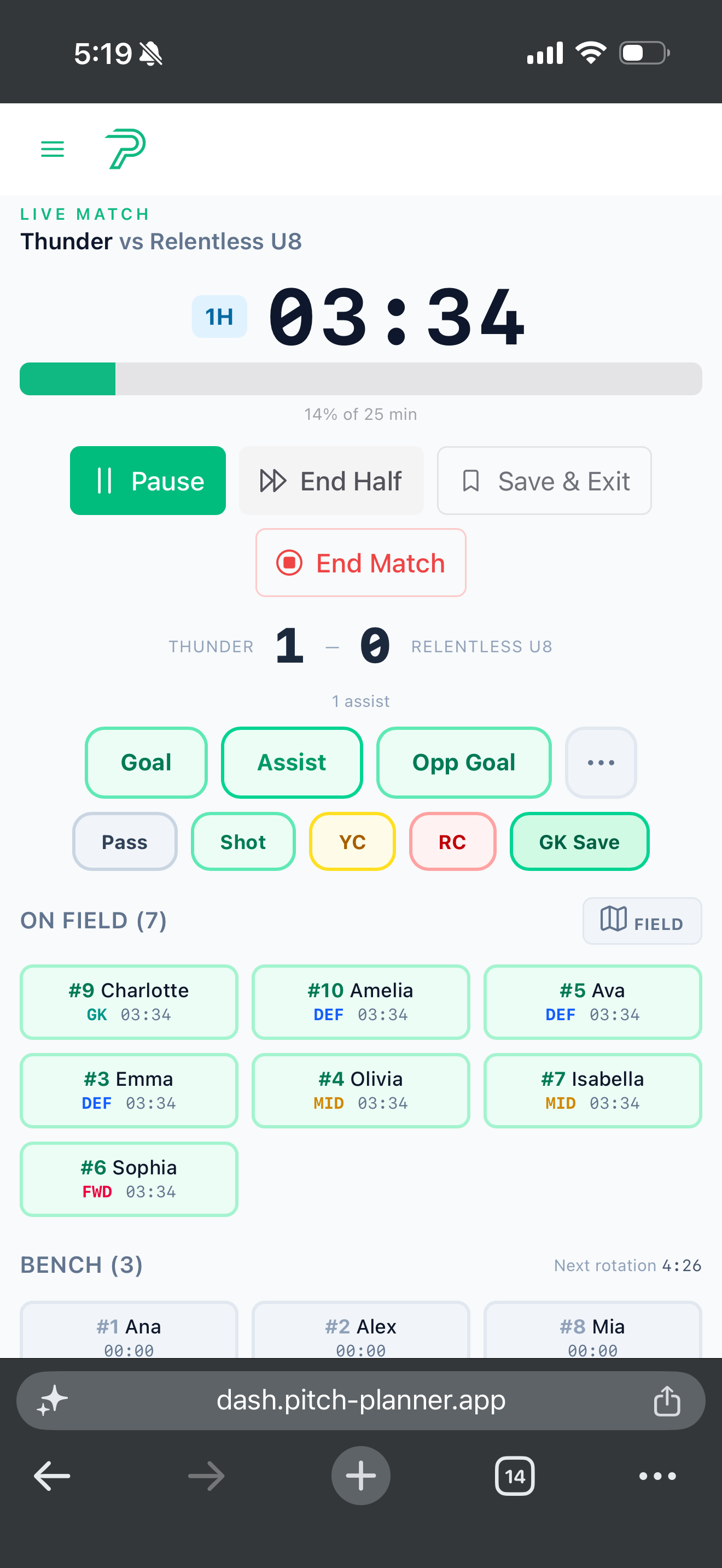
Start the match clock at kick-off. Players on the field gain minutes. Bench players wait. When you make a sub, choose the player coming on and the player coming off, and Pitch Planner updates the minute totals.
Can I pause the clock?
Yes. Pause for water breaks, injuries, long stoppages, or anything else where you do not want minutes to keep running.
What formations are supported?
Pitch Planner supports common youth soccer formats from 4v4 through 11v11. Coaches can lay out players for small-sided 7v7 and 9v9 matches as well as full-sided 11v11 games. The goal is not to teach tactics, it is to make the lineup clear enough to use during a match.
How do playing-time targets work?
Set a target, then watch each player's minutes during the match. The point is to catch problems early, before the final five minutes become a scramble.
Can I save lineups between matches?
Yes. Free includes one saved lineup. Pro includes 5 saved lineups. Premium includes 10 saved lineups per team.
Can I track goals, assists, and cards?
Yes. Match events can be logged during the game and reviewed in the recap afterward.
What happens after the final whistle?
You get a match recap with the score, key events, player minutes, and notes. Pro and Premium add exports and richer reporting.
Team manager
How many teams can I run?
Free and Pro are built around one active team. Premium supports up to 3 active teams. Clubs or events that need 10+ teams can ask about a custom plan.
Can I invite an assistant coach or manager?
Free and Pro include only the account owner. Premium includes the owner plus 2 additional coaches and 2 managers per team.
How does attendance tracking work?
On Pro and Premium, create a practice, scrimmage, or team event, then mark each player present, absent, late, or excused. Attendance recording and insights are paid features.
Can parents see team information?
Paid plans include parent or team share links. Public views are meant for reading, not editing.
Can I remove a player mid-season?
Yes. Archive a player when you want to keep their history, or delete them when the record should be removed.
Account & security
Does Pitch Planner sell team data?
No. Pitch Planner is a coaching tool, not an ad network. Team data is used to run the product and the features you choose to enable.
Can I export my data?
Exports are included on Pro and Premium. Free keeps the basics available in the app, while paid plans are better for season records and reporting.
How do I delete my account?
Email support@email.pitch-planner.app and ask for account deletion. We will remove the account and associated data according to the current support process.
Does it work offline?
Pitch Planner is a browser-based app, so you should load your team and match before you get to a field with weak service. Team setup, account changes, saving history, and tournament publishing require an internet connection.
Ready for kick-off?
Plan the lineup.
Run the match.
Build a lineup and try limited match planning for free. Upgrade for rotation planning, advanced live substitutions, reports, exports, and season statistics.