
Automated Parent Notifications For Game Reschedules
Set up automated parent notifications for youth soccer reschedules with clear triggers, templates, and troubleshooting steps for busy coaches and managers.
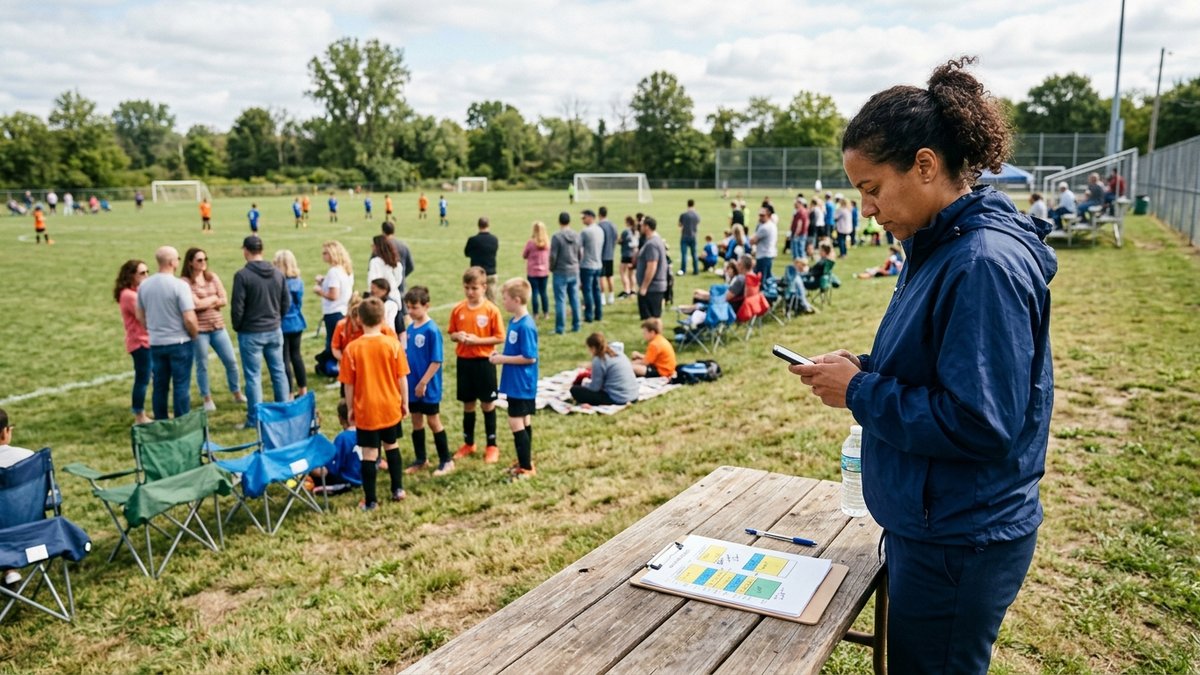
Automated parent notifications can turn a messy youth soccer reschedule into a calm, predictable update. When a field closes, a referee assignment shifts, or a practice moves by 30 minutes, families need one clear message from one trusted place. This guide shows coaches and team managers how to set up notifications so schedule changes reach the right parents quickly, without relying on scattered texts.
What Are Automated Parent Notifications For Reschedules?
Automated parent notifications for reschedules are app-triggered messages that go to families when a practice or game time, location, or status changes. Instead of a coach typing the same update into email, text, and a group chat, the schedule change itself becomes the trigger.
For youth soccer, this matters because most schedule problems are not tactical problems. They are transportation problems. A parent leaves work early, a grandparent drives the player, siblings have other games, and one unclear update can create 20 minutes of sideline confusion.
A strong notification setup starts with the schedule. If the league app is the place where games, practices, fields, and rosters live, then parents can trust that an alert reflects the official plan. That is much safer than a coach updating a spreadsheet while a team manager posts a different time in chat.
Which Schedule Changes Should Automatically Notify Parents?
Every schedule change that affects arrival, pickup, attendance, or equipment should automatically notify parents. That includes time changes, venue changes, field changes, cancellations, uncancellations, newly added events, and reminder messages before important games.
Coaches do not need to automate every small note, but they should automate anything that changes a family’s plan. A practice moved from 6:00 to 6:30 changes dinner, homework, and carpools. A field switch from Field 2 to Field 7 changes parking and arrival time. A canceled game changes the whole day.
Use the Transportation Test as your named framework: if a change would make a parent drive differently, leave at a different time, pack different gear, or arrange a different pickup, it deserves an automated notification. This simple rule keeps the system parent-centered instead of app-centered.
The same rule works for tournament directors and league admins. If a weather delay pushes a division back by one hour, every affected roster should receive the update from the platform. If a single team swaps fields, only that team should get the alert.
How Do You Make The App The Single Source Of Truth?
You make the app the single source of truth by building the full schedule there first and treating every other channel as a pointer back to that schedule. Parents should learn that the app is where the official time, field, and status live.
Start before the season begins. Load practices, games, fields, and team rosters into the app. Then confirm that every player is attached to at least one parent or guardian contact. Wrong or missing parent contacts are one of the most common reasons families miss updates.
Next, decide who can edit events. For a small team, that may be the head coach and one team manager. For a league, it may be division admins plus a central scheduler. Keep editing rights tight enough that the schedule stays reliable, but not so tight that a weather-day update waits on one unavailable person.
This is also where coach and manager roles matter. A coach may own the soccer decision, while a manager handles the communication workflow. If your staff splits those jobs, document it clearly and point volunteers to a role guide like coach and manager responsibilities so everyone knows who updates the event and who checks that the notification went out.
How Should Coaches Configure Push, Email, And SMS Alerts?
Coaches should turn on push alerts for speed, email for a searchable record, and SMS for urgent changes when the app supports it. No single channel is perfect, so the safest setup uses more than one channel for schedule changes.
Push notifications are usually the fastest path when parents have installed the app and allowed notifications. They are ideal for same-day field changes and rainouts. The weakness is obvious: some parents disable notifications or never install the app.
Email is slower, but it creates a record parents can search later. It also reaches guardians who prefer desktop planning or who manage several children across different teams. SMS is best for urgent changes, but leagues should use it thoughtfully because families can experience text fatigue quickly.
A practical setup is to use push and email for every reschedule, then reserve SMS for changes inside a defined urgent window, such as the final 24 hours before a practice or match. If you already use a team feed or announcement tool, connect that habit to the official schedule by using team feed updates for context while the event record remains the source of truth.
What Message Templates Work Best For Rainouts And Field Changes?
The best reschedule templates answer what changed, who is affected, when the new plan starts, and what parents should do next. Keep the message short enough to read from a lock screen.
For a rainout, the message should state the event, original time, new status, and next step. A coach might write: “Tonight’s U10 practice at Oak Park is canceled because the fields are closed. No makeup date is set yet. Please check the app tomorrow for the updated plan.” That message is clear because it does not mix cancellation, speculation, and apology into one long paragraph.
For a field change, include the old and new field names. Parents often skim notifications while driving or walking across a complex. “Saturday’s U12 game is still at 10:00 AM, but it has moved from Field 3 to Field 6” is easier to act on than “field updated.”
For a time shift, state the arrival time separately from kickoff when needed. If kickoff moves to 2:30 and players should arrive at 2:00, say both. Coaches can reduce late arrivals by being explicit instead of assuming families know the warmup routine.
How Do You Prevent Missed Notifications?
You prevent missed notifications by checking roster contacts, parent app access, notification permissions, and event-editing habits before the first urgent change happens. Most failures are setup failures that only become visible during bad weather.
At the start of the season, ask every family to confirm the right guardians are attached to the player. Then ask them to install the app, sign in, and allow notifications. If the platform supports parent and player contacts separately, make sure the adult responsible for transportation is included.
Coaches should also audit their attendance workflow. When attendance, availability, and schedule changes live together, a coach can see who has received the update and who may need a direct nudge. If you track RSVPs or practice attendance, connect that routine to attendance tracking for teams so reschedules and availability do not become separate chores.
Finally, train admins not to delete events when they mean to cancel them. LeagueApps documentation on push notifications notes that notification behavior can vary based on the action taken, including cancellation and change notification settings. In many systems, updating or canceling an event is safer than deleting it because families need a visible change, not a disappearing event.
How Should A League Handle Weather-Day Reschedules?
A league should handle weather-day reschedules with a preassigned decision owner, a clear cutoff time, and one official update path through the league app. The faster the process is decided before the storm, the calmer it feels when fields close.
Start by naming who can close fields and who can update schedules. Those may not be the same person. A parks department might close the facility, a league scheduler might move games, and team coaches might handle player-specific follow-up.
Then choose a decision timeline. For example, the league may aim to post morning game updates by 7:00 AM and evening practice updates by 3:00 PM. The exact times depend on your fields and age groups, but the promise helps families know when to check.
Use one source message from the platform. Coaches can still add context in a team channel, but they should not create a second version of the schedule. US Youth Soccer’s parent communication guidance emphasizes regular, systematic communication and reducing emotionally charged sideline stress. A consistent reschedule process supports that same goal by removing guesswork before families arrive at the field.
The Reschedule Notification Loop
The Reschedule Notification Loop is a simple four-step workflow: change the event, notify the affected roster, confirm parent reach, and close the loop with the new plan. Naming the loop helps volunteers remember that the job is not finished when the schedule screen is edited.
First, change the event in the app. Update the time, location, or status in the official schedule record. Second, use the platform’s notification setting to alert the affected participants. If the change is urgent, use every approved channel your league allows.
Third, confirm reach. This does not mean chasing every parent for every update. It means watching for obvious risk signs, such as a key goalkeeper marked unavailable after a field change, multiple parents asking the same question, or a family that never activated the app.
Fourth, close the loop. If a cancellation will be rescheduled later, say when families should expect the next update. If a game moved fields, remind players of the adjusted arrival spot. The loop prevents the half-message problem, where families know something changed but not what to do next.
The message-action test
For every alert, write the action before choosing the channel. If parents need to leave home at a different time, include the new arrival or kickoff time and send push plus email. If the field is closed and no safe replacement exists, label the event canceled and say when the next decision will be posted. If the message does not change a family action, keep it out of the emergency channel.
Automated Parent Notifications For Game Reschedules FAQ
Should Coaches Use Group Texts Instead Of App Notifications?
Group texts are useful for quick context, but they should not replace app notifications for official schedule changes. The app should hold the official time, field, and status so late-joining parents, assistant coaches, and league admins see the same information.
What If Parents Do Not Install The League App?
Use email as a backup and make app setup part of preseason onboarding. If a family still does not install it, identify the adult who needs transportation updates and make sure they are on the email or SMS list.
Should A Deleted Game Send A Notification?
Do not assume a deleted game will notify everyone. Some platforms treat deletion differently from cancellation, so it is safer to cancel or update the event and choose the option to notify participants when available.
How Soon Should A Weather Cancellation Go Out?
Send the first official weather cancellation as soon as the decision is final. If the league uses a cutoff time, tell families that time before the season so they know when to expect morning or afternoon updates.
Can Coaches Automate Practice Reminders Too?
Yes, practice reminders can help younger teams and busy families, especially early in the season. Keep them brief and avoid overusing them, because too many routine alerts can make parents ignore urgent reschedule messages.
Final Step For This Week
Before the next practice, open your schedule app and test one low-risk event update with your manager or assistant coach. Confirm who receives the alert, which channels fire, and what the message looks like on a phone. Once that test works, document the Transportation Test and the Reschedule Notification Loop for your team so the first real rainout feels routine instead of rushed.
NEXT STEP FOR TEAM MANAGEMENT
Keep the roster, attendance, and team details together.
Pitch Planner gives youth soccer coaches one place for the team information that affects the next practice and match.